
Social media that runs itself

Your website becomes published posts and video ads

Paste a URL. Feedkraft keeps your brand on file, makes posts, carousels and creator-style video ads from it, and publishes them to your LinkedIn, Instagram & Facebook accounts at the times on your calendar.

Free to start · no credit card required
Your website
Brand DNA
Posts, carousels & video
Auto-published
Auto-publishes to
LinkedIn
Instagram
Facebook
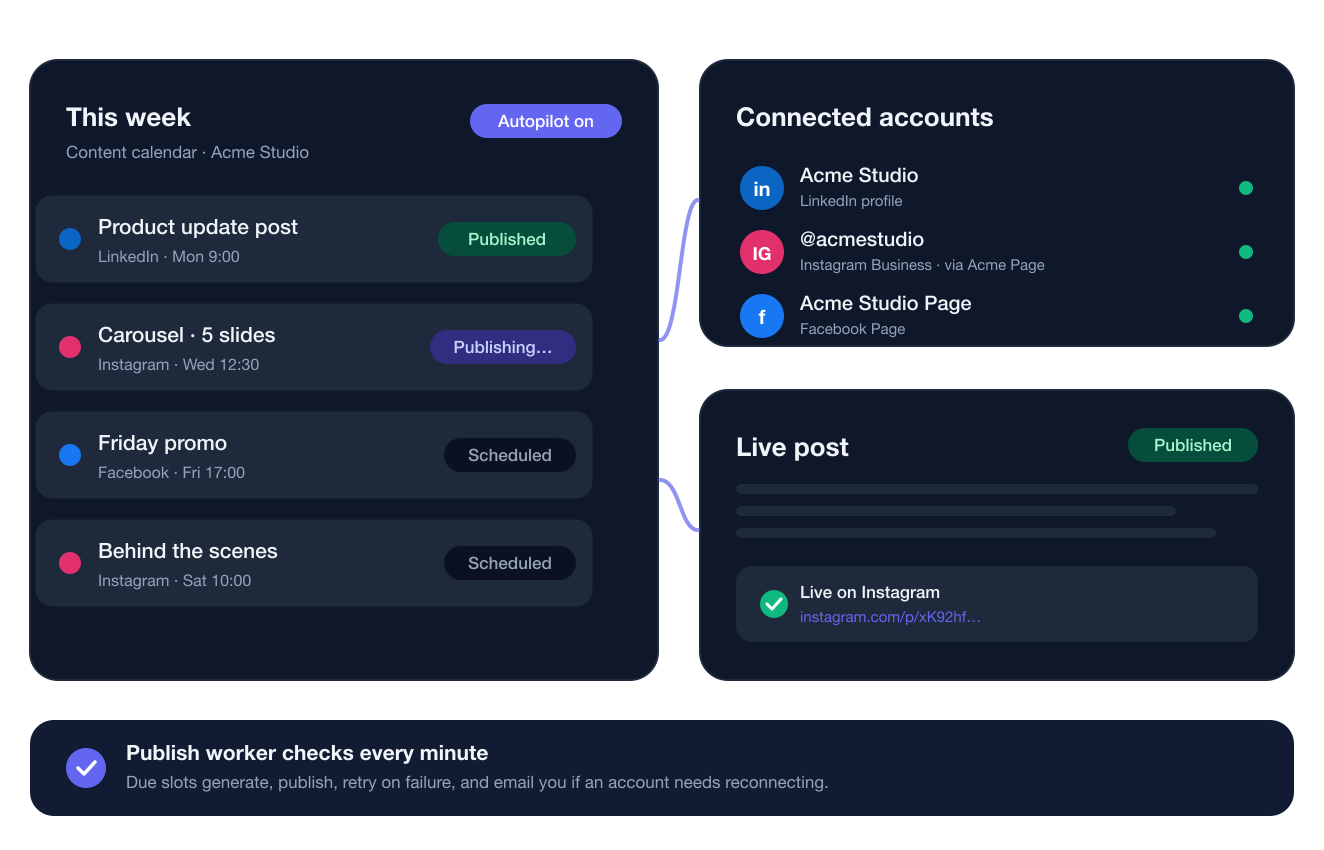
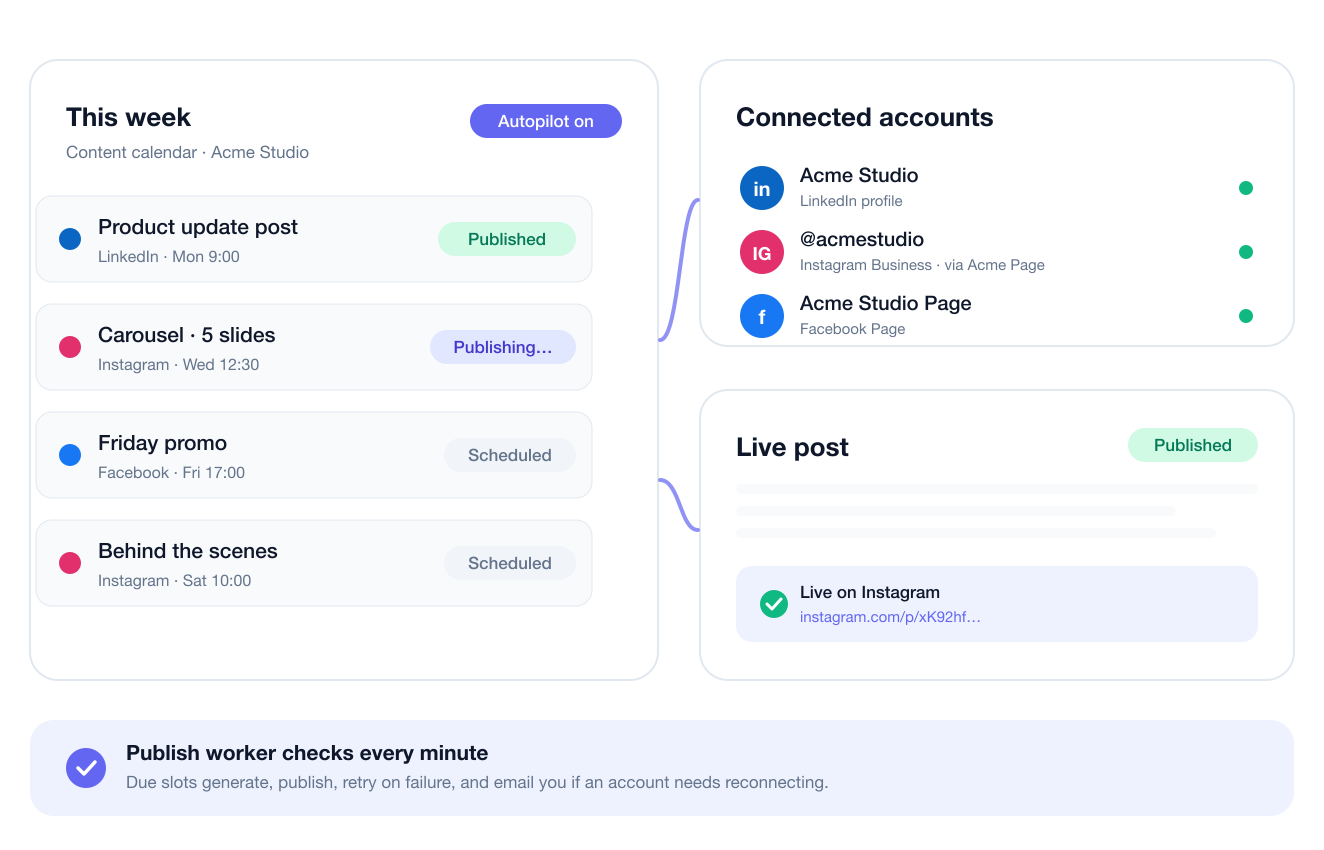
Content calendar auto-publishing to LinkedIn, Instagram and Facebook
Real publishing

Plan the month. It posts itself.

Not another scheduler that just reminds you. Connect your accounts once and Feedkraft generates each slot's content, then publishes it live at the scheduled time — with the post's real URL waiting on your calendar.
Drag-and-drop content calendar
Real posts with live URLs
Auto-retries + failure alerts
Encrypted, per-account tokens
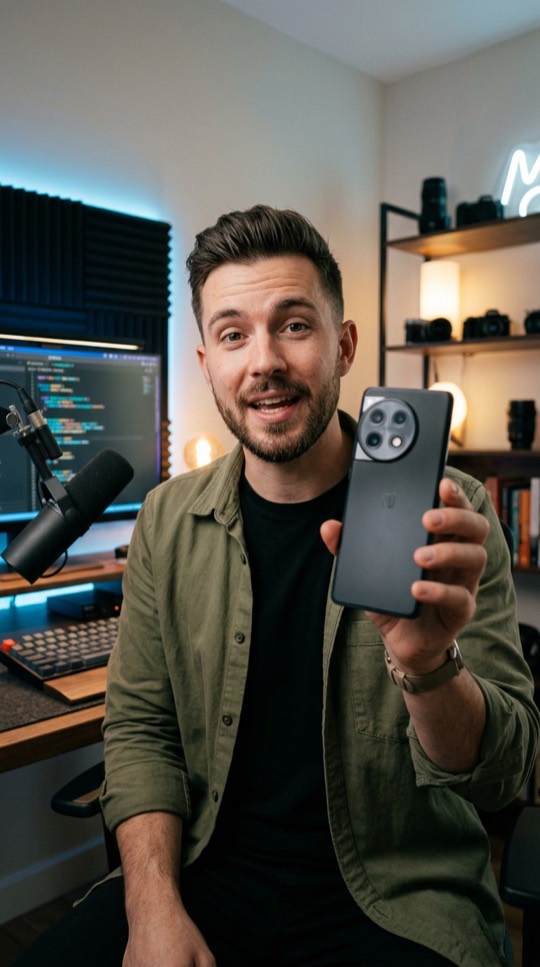
AI creator holding a phone in a vertical video ad

“When did you last forget your charger and not care?”

Problem → solution · 10s · 9:16

UGC video ads

Creator-style video ads, with no shoot to book.

Pick a product and an on-camera creator. Feedkraft writes the spoken script from your product page, you adjust the scenes, and it renders a lip-synced vertical video that goes on the calendar with the rest of your posts.

AI or uploaded on-camera creators
8 ad formats, up to 5 script variants
Lip-synced with Kling or Seedance
Publishes as Reels and Page videos

One tool, the whole workflow

From brand kit to published post, in the one place your team and clients already log in.

Your brand, kept on file

Paste your website once and Feedkraft keeps your colors, fonts, voice, messaging and product catalog as a brand kit. Every post, image and video starts from it, so nobody re-explains the brand.

Every client in one login

Each business gets its own brand kit, connected accounts, calendar and library. Switch clients from the top bar.

True Instagram carousels

Multi-slide decks are generated and published as real IG carousels — JPEG conversion and aspect ratios handled for you.

Live-web research

Competitor teardowns, audience analysis, and trend reports with real citations.

19 languages

Translate any post — including the text baked into images — without touching the original.

Run it as your own SaaS

Credits, one-time packs, and Stripe / PayPal / Razorpay / Dodo built in. Self-host it, set your prices and keep the revenue.

Three steps to autopilot

One URL to start. After that, the calendar does the posting.

01

Paste your website

Drop in your URL and Feedkraft saves your colors, fonts, voice, products and services as a brand kit. Every post and video draws on it.

02

Generate posts and video ads

Posts, carousels, ads and creator-style video ads, written and designed from your brand kit. Edit, translate or regenerate any of them.

03

Schedule & publish on autopilot

Fill the calendar, connect LinkedIn, Instagram & Facebook once, and each slot goes live at its time as a real post with a live URL.

Runs while you're away
A publish worker posts every due slot and retries failures.
Real posts, real URLs
Connected LinkedIn, Instagram & Facebook accounts.
Video ads that publish
Rendered ads go out as Reels, Page videos and LinkedIn videos.
Your brand, kept on file
Every output draws on the same palette, voice and catalog.

Pay once. Generate when you want.

No subscriptions. No renewals. No expiring credits. Start free, top up only when you're ready to scale.

Bring your own API keys Self-hosted — keep 100% of revenue Credits never expire

Common questions

Everything you need to know before getting started.

Does Feedkraft actually publish to my social accounts?

Yes. Connect your LinkedIn profile, Facebook Pages, and Instagram Business accounts under Accounts, and calendar slots publish automatically at the time you set — real posts with live URLs, including multi-image Instagram carousels and videos (Instagram Reels, Facebook Page videos, LinkedIn videos). Platforms without auto-publish (X, YouTube, blog) get a one-click "Mark as published" flow so your calendar stays accurate.

Why not just ask ChatGPT or Claude to write my posts?

For a single caption, that works. The rest of the job is still yours: a chat window has no content calendar, can't render a video ad, and can't post to your accounts at 9am on Tuesday while you're busy. Feedkraft keeps your brand kit and product catalog on file, plans the month, renders creator-style video ads, and publishes everything to your connected LinkedIn, Instagram and Facebook accounts, retrying failures and emailing you if an account needs reconnecting. The writing itself runs on Claude, GPT or Gemini, whichever you pick.

Can Feedkraft make video ads?

Yes. Pick a product and an on-camera creator (AI-generated or an uploaded photo), and Feedkraft writes the spoken script in one of 8 formats, such as testimonial, unboxing or problem → solution, with up to 5 variants. Adjust any scene in the Script Studio, then render a lip-synced video with Kling or Seedance. Finished videos publish as Instagram Reels, Facebook Page videos and LinkedIn videos, or wait on the calendar for their slot. Renders use a separate video-credit balance, and a failed render is refunded.

What do I need for Instagram publishing?

An Instagram Business or Creator account linked to a Facebook Page you manage — that's Instagram's requirement for API publishing. Feedkraft handles the technical constraints automatically: images are converted to JPEG and padded into Instagram's accepted aspect ratios before publishing, and carousels are assembled slide by slide.

How fast can I have my first post?

About a minute after you sign up. Paste your website URL and Feedkraft reads your site and builds a complete picture of your brand (colors, fonts, tone, products & services, messaging) in the background. The moment that's done, every piece of content you generate is already shaped by your brand.

Is there a free trial? What do I get?

Yes. New accounts start with a free allowance of content credits, research credits, video credits, a business slot and a scheduled task, shown in the pricing section. That is enough to import your brand kit, pull in your products & services, and ship your first posts on the fast Light-tier models. Buy any shop pack and the full roster of premium text and image models unlocks for life. No credit card required to start.

How does the credit system work?

Credits are spent only when something is generated. Each action's cost is the sum of the text-model tier plus the image-model tier (×1 per image). Light models cost 1 credit, Standard 2, Pro 4, Premium 10. So a single Instagram post on the cheapest stack costs 2 credits; on Claude Opus + GPT-Image 2 it costs 20. A 10-slide carousel multiplies the image cost, which is why bigger carousels burn faster. Publishing itself never costs credits.

What do shop packs include?

One-time credit packs, not subscriptions. The pricing section lists each pack's price and exactly what it adds: content credits, research credits, video credits, extra businesses and scheduled task slots. Buying any pack also unlocks the full premium model roster for life.

Do credits expire? Is this a subscription?

No expiry, no subscription, no surprise renewals. Pay once, top up whenever you want, never lose what you bought.

Can I switch AI models? Does it really matter?

Yes. From Settings → AI Models you can pick from 13 text models (Claude — including Claude Fable 5 — plus GPT and Gemini) and 9 image models (Google's Nano Banana family and OpenAI's GPT Image models). Each is labelled with its credit cost. Premium models give the highest quality outputs but burn credits 10× faster than Light, so most users land on Standard or Pro for the best balance.

What kinds of content can I create?

Posts, Ads, Blogs, Carousels (2–10 slides), Thumbnails, and Posters across Instagram, LinkedIn, YouTube, X (Twitter), Facebook, and Blog, plus creator-style UGC video ads (vertical, square or landscape). There is also live-web research for audience analysis, competitor teardowns, trend reports, and content strategy with citations.

Can I manage multiple brands or clients from one account?

Yes. Each business gets its own brand profile, connected social accounts, products & services catalog, content calendar, and library. Switch between them from the top of the page. The free trial includes one business, and shop packs can add more, so agencies and freelancers can run their full client roster from a single account.

Stop copy-pasting into five apps.

Paste your website once. Posts and video ads go out on schedule while you build the actual business.